

View the session live or catch the replay here. You’ll find the recording and all related resources on this page once available.
Our live discussions are happening over in Slack. That’s where you can connect with speakers, join session threads, and chat with other attendees in real time.
Salesforce campaigns are the foundation of marketing attribution. But if it takes you four hours to build 12 campaigns needed to achieve this… then it ain’t happening. Nobody has time for that!
In this session you will learn:
A NEW way to build salesforce campaigns.
#ThinkDifferentlyWithAutomation
The importance of tracking links and how they work
About campaign structure, hierarchy, and naming conventions
How to tie it all together, and see it in action!Access microsite: http://go.demo.pardot.com/l/81742/2022-05-16/xg87k
Access Miro: https://miro.com/app/board/uXjVPIJEXJ4=/
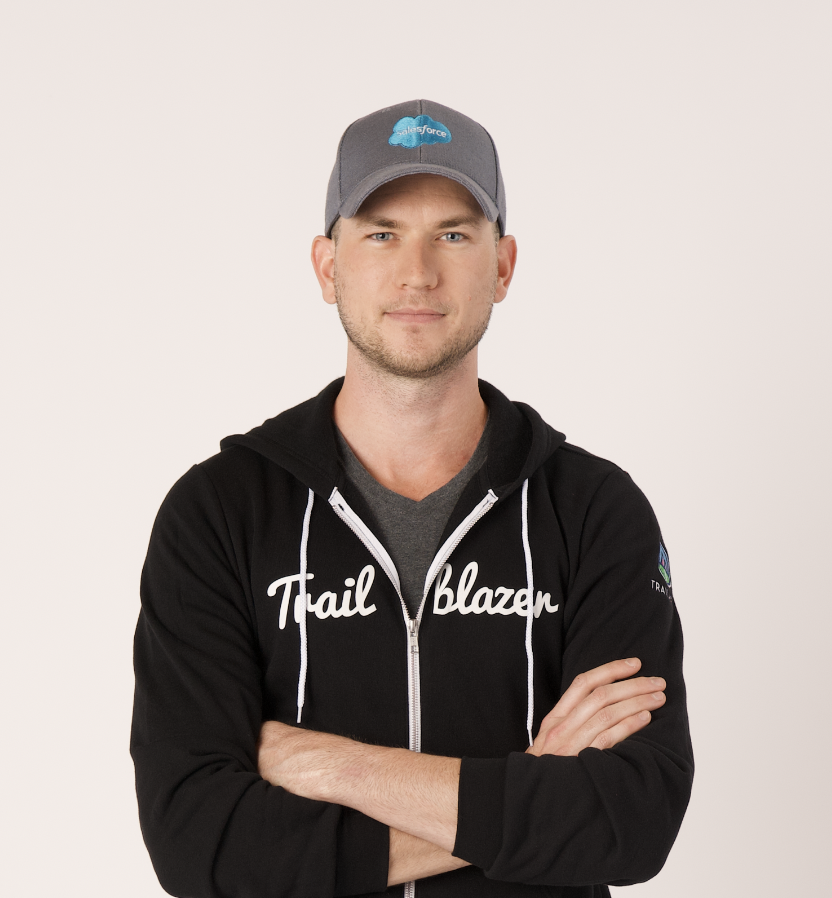
Speaker 0: New monitoring. So my name is Brandon from Sercante. I’ll be monitoring, uh, today’s session. Uh, just a few important points to go through. Uh, yes. The sessions are recorded and will be available on demand after the event. We’ll also be following up with you all via email. If you’d like to join a different track, you can click on change track in the bottom left or click on agenda at the top. Uh, and if you have any questions, you can post them into the QA tab. Um, I’m joined today by Steven Stouffer, who’s going to bring us through all things Salesforce campaigns. So, Steven, over to yourself.
Speaker 1: Thanks, Brendan. Alright. Let me share my screen here, and let’s see here. Can you see it? I’m gonna assume
Speaker 0: no news is good news. Perfect.
Speaker 1: Alright. Perfect. Thank you. Yeah. So, uh, this is gonna be all about building, um, Salesforce campaigns at scale. So I’m sure a lot of the folks joining this session here are very familiar with campaigns. So some of this might be things that you already are a pro at, uh, other areas that it might be something new. I’m gonna start out at the fundamentals of just kind of the pieces of a campaign and then kind of move up to more advanced stuff. So, uh, hold tight. We’re gonna get to some really interesting things. Um, if the thing if the stuff that I covered at the beginning isn’t too interesting, we’ll we’ll get there. Uh, a little bit about me. Uh, my name is Steven Stoper. I’m the VP of marketing operations at Sysend. Uh, Sysend is a revenue operations agency. And a lot of what I’m showing here is, uh, basically doing campaign management and implementations for 40 plus different customers at Sysend. So if you think about, um, all the different use cases and something that’s flexible in nature, this is gonna be that. Um, so it’s gonna be a lot, uh, but it is really interesting to be in the perspective of working with multiple different orgs, b two b, b two c, nonprofits, financial, educational, um, taking all those learnings and packaging it up into something that hopefully is useful for everyone, um, here on the call. Um, I’ve been in the space, uh, using Pardot and Salesforce for, um, since 2011. So I don’t know what the math there is. Probably ten ten, eleven years ish. So it’s been fun. We were talking off off stage a little bit about seeing the changes in Pardot, and it’s it’s really exciting to kinda see how it’s getting more ingrained and integrated, uh, within Salesforce. A few housekeeping items. Uh, the deck, uh, like Brendan mentioned, will be shared, and this session is being recorded. Um, you’re gonna be able to access all of the resources that I share. Um, if anyone has attended any of my past, uh, ParDream and MarDream and sessions, you know that, um, I show a lot of things, and I want them to be actionable, and I want them to be tangible. So I’ve got a Miro deck, uh, that I’m gonna share out, and there’s probably, like, five or six different, um, areas within that Miro board that might be useful to your business. So, um, you will have access to it. I’ll make the Miro board, um, public, uh, public URL shared. Uh, please ask a lot of questions. Um, I’m gonna save some time at the end of this session to, um, answer any questions. So please get them in ahead of time as you think about them because time is limited, and I wanna be able to get through as much as possible. If you if you think of a question after the fact, connect with me on LinkedIn, and we can, um, direct message each other. Also, I am gonna say Pardot, so just please forgive me if there’s any Salesforce folks. Things I’m gonna cover. So I’m gonna talk about, uh, a new way you can think about building Salesforce campaigns. This is all native functionality within Salesforce, so it’s you don’t need to purchase anything. Um, thinking different with automation, talking a little bit about tracking links and how they’re important to, uh, you know, the overall, um, uh, lead capture to opportunity, uh, multi touch attribution, all that fun stuff. And then we’re gonna bring it all together, and I’m gonna actually demo a new way that you can think about doing campaigns within Salesforce. Um, if anyone has questions as to, like, the how tos behind any of this, I can’t get to in the nitty gritty in a twenty five minute slots, but I will share as much as I can and then, of course, open to chatting, um, offline, outside the event, or within the event if you wanna DM me, uh, within the portal. So let’s talk about campaigns. Um, let’s let’s talk about kind of the problems we’re trying to solve here. So, um, campaign hierarchy, uh, you need to have that defined within your your business, and this is important because information rolls up. So, like, if you wanna see things at a product level or, um, at a solution level, you need to have that as kind of like your grandparent campaign, and you need to have children and and you have, uh, parent campaigns. It it can get tricky. Uh, naming conventions. Um, consistency is is kind of the the downfall of campaigns. Um, from one person creating a campaign to another person creating a campaign. Naming conventions and the overall nomenclature can just change from person to person or as the company grows, you may wanna change it later on. And and when you have everything under different names, it it just gets messy real quick. You also have subtypes and types of campaigns, campaign membership statuses that are even different based on types and subtypes. Then you have UTM tracking, and then there’s also lead sources. So this is a lot of information. It’s something that you have to remember to do every single time you create a campaign, and it just creates a lot of time being spent on trying to build things or rebuild things or editing things, uh, uh, just because it’s not quite right the first time you build it. So this this is the problem of campaigns, uh, and you have to use them. Like, you have to use campaigns. They’re, like, one of the pillars of doing, uh, multi touch attribution. You know, you have opportunities. You have contacts, contact roles, and campaigns. Uh, you have to have campaigns to to figure out what that first touch or last touch or multi touch, um, activity is within Salesforce. So they’re so critical to your business, but they’re also, like, so difficult to manage in a consistent way because it’s so easy just to get them wrong. So let’s dive into these kind of, uh, pieces of the campaign. So, um, I have a Miro board here. Again, I’m gonna share it. Um, I’m gonna go over ways that I think about campaigns and the campaign structure as well through the lens of kind of all the different customers that I’ve worked with. So a lot of people talk about campaign hierarchy, but they don’t get too in the weeds of, like, showing examples. So in this session, I’m gonna be showing all the different frameworks for each element that I covered in my last slide, uh, and go over just the importance and how kind of I think about it and my team thinks about campaigns. So you have your grandparent campaign. This is gonna be your product or the solution. I tell my clients all the time, hey. Look. Like, go to your website. Pull up the navigation on your website and go and go through kind of the product section and the solution section. Those are your grandparent campaigns typically. Um, so if you’re unsure what you should make for a grandparent campaign, go onto your website and take a look what the marketing team and your, uh, product team has developed because those are gonna be your your your top level campaigns. They’re also pretty unchanging. So when you think of creating campaigns, uh, you know, week in and week out and month over month and year over year, these top level campaigns, they don’t change too much. They’re pretty static, probably anywhere between five to 10, um, unless you have a lot of products and services, in which case you might have more. Then you have your parent campaign. These are gonna be your assets or your draw. Another way to think about this is just a landing page. So if you have a landing page with a form on it, it’s probably gonna be at the parent level. Right? So we are here talking, uh, at an event. There was a registration page. That registration page would live here. Uh, and then you have your children campaigns. These are gonna be your promotional tactics. So if you saw someone from Sercante post, uh, a tweet or a LinkedIn post that sent you to that registration page, those tweets, uh, and those posts are gonna live here. So then you have child campaigns. And then it’s so important to make sure that the leader of contact coming in is properly associated with these campaigns for your attribution model. Uh, and then you have your naming convention. So this is just a starting point that I recommend all of our customers kind of go through. It starts with type, subtype, the date of whatever the campaign is, as well as the kind of common name of the campaign. So using this event as an example, we would have at the top level marketing operations that would kind of be the product or solution from Circante. And then we have this event, which is how I’m speaking to you right now, building, uh, campaigns at scale. And then below that, you would have something like a paid media post that might promote, um, this this session that you’re on right now. So you can start to see kind of the hierarchy, the naming conventions coming together, um, and then you have all of your types and subtypes, different types of campaigns that you might create. You might do a paid digital campaign. You might do a webinar, and you might do an event. And then as far as the subtypes are are considered, there’s different types of events. Right? So you have a hosted virtual event, a sponsored virtual event, maybe a happy hour or a dinner, um, and and those are the subtypes to this kind of overarching event category. So, um, there’s a lot here, and I’m not gonna go through all of these, but this is just a framework to help you kind of build that structure within your business before even considering I’m doing any, uh, sort of automations, which I’m gonna get to here in a second. But once you have this framework in place, you’ve defined your types, you’ve defined your subtypes, you’ve defined the naming conventions of your campaigns, um, as well as the campaign membership statuses like we talked about. Right? Because because a a status for an event is different than something like paid social. So paid social, you might have viewed, you might have clicked, but for an event, you might have invited, you might have registered, attended, you know, did not attend, or absent. Uh, so mapping all of these out are just critical to just having the fundamental pieces to build a campaign. And whether or not you do it automated, like I’m gonna show you here in a little bit, or you do it manually, these are gonna be the foundation elements, uh, to keep things consistent from, uh, campaign to campaign and just from person to person. So then we also have UTM, uh, link structure. So you, uh, the folks on this call may use something like utm.i0 or Google UTM, uh, builder. Uh, there are different elements to a link that are that are just so critical to making sure information is being passed into Pardot and then subsequently into Salesforce. You have your root domain, which is the where the traffic is going. You have your UTM source, which is where the traffic is coming from. So in in my fictitious example here, they’re coming in from a paid social Google ad. You know, how the traffic is getting to the location, which is through paid social, why the traffic is going there, they they clicked on a promotion, what they looked at, this is gonna be a newsletter, uh, the campaign that they belong to. So this is a little bit special. This might be new to some folks, um, as we kind of move into the more advanced stuff. A very common thing that we do here at Sysend is we actually include the campaign ID as well as the campaign member status in that tracked URL. And what that does is it passes that campaign ID into the form, and then that tells Salesforce where that person needs to go. Because if you think about, um, a registration page, you may have five or six different promotional channels. My example here is just Google, but you may also have LinkedIn. You might have Twitter. You might have, um, an email promotion all pointing to one landing page. But if you use a parameter for tracking the campaign ID on all those different promotional tactics, uh, Salesforce can pick up on one form multiple different campaign locations and kinda put them and splice and dice them into the correct campaign within Salesforce. Uh, so this is really critical. Um, and in in the Miro board, I’m not gonna go too in detail of, like, how this is leveraged, but, um, spoiler alert, it’s a it’s a flow. And I do link to the flow of what that looks like, um, here within the mural board, although I’m not gonna spend too much time on it. Uh, and then the other key component is just lead source values. So, um, people say lead sources’ information is really important, but nobody provides concrete examples of the different lead sources by the different channels. So there’s also a worksheet in here to help you define the different lead sources within your business, what’s important, what’s not important. It’s just a Google Sheet. You can copy it and make changes for your own organization, uh, but these, uh, elements also need to be defined. Now now that we have the whole foundation, what can we do with it? So within Salesforce, um, let me just refresh to make sure it didn’t kick me out. Yep. Okay. We’re good. Within Salesforce, folks might on this call might be very comfortable with creating campaigns. Right? So everyone’s, uh, or most people here should should be comfortable. You click new. You can come in here, and you can select your parent campaign. Um, so I already have my parent campaign marketing operations. We can type in our campaign name. We can do something like Stevens demo. Uh, Status is gonna be in progress. We’re gonna make it active. Um, and that’s pretty much I guess we can pick pick type and subtype. So we’ll do let’s do webinar, and then we’ll do speaker. And then, uh, we can do start date and end dates, but, basically, what I can do is I can create that. And now I have my asset campaigns. Right? So this is, um, in the campaign hierarchy. I already had this one created. I just created this one. I related it to this one. So now I have this middle campaign created. Right? This is very normal. Y’all are probably very comfortable with something like this. And if I wanna create a tactic campaign that lives underneath of the asset campaign that I just created, I have to go back in here. I have to create another campaign. I have to find Steven’s demo campaign that I just created, make that my parents, and then I can create my asset campaign. Very time consuming. Right? I just spent, I don’t know, three or four minutes creating two campaigns. That’s a lot of time being spent for, um, creating just two campaigns. So what’s the better way? You guys have been listening to me talk about the fundamental pieces of a campaign, but it’s leading to something. So the way that we do it is we actually have a secondary button here. Some of you have may already noticed it, but it says create multiple campaigns. And what this is is it is a essentially, a screen flow of all the elements needed in order to create multiple campaigns. So if we wanna, um, add in let’s just use the same example I did before. I am have a session. I have an event webinar. I wanna create that with some tactic campaigns, maybe some promotionals, um, you know, outreach on on social media. So I’m gonna do a new asset. I can come in here and say it’s Stevens demo campaign two. I can put in the link to the URL of whatever that landing page is. For now, I’ll just leave it at susend dot com. The solution, uh, this is gonna be the, um, marketing operations parent campaign like I did before. Campaign type is gonna be webinar. Subtype is gonna be speaker, similar to before. And then for the start date, I’ll just do today. So click next. This is very different. This is a different, um, user interface. So now I can select all my promotional channels. So I wanna do Facebook, LinkedIn. Let’s do Twitter, Instagram. Let’s say we’re doing a promotional email, um, here, and, um, I’ll do Google as well. So that’s one, two, three, four, five. That’s six different campaigns here. Um, and then I’m gonna do create campaigns. And what Salesforce is doing right now is it’s creating all those campaigns immediately. And if I, uh, click here, show campaign hierarchy, I’m gonna see all those campaigns I, uh, created here. In addition, it created a direct campaign. So even though we have all of our paid media channels, we still need kind of that that campaign that’s gonna be tied directly to the form for anyone who might go there direct or organic, um, uh, bypassing some of these other, uh, tactic campaigns. Uh, so all of these campaigns have been created. You notice that they’re all rolling up to the correct parent campaign, um, as well as the naming conventions of all of these are standardized. Um, and I misspelled my name, so that’s fun. Uh, so we have our parent campaign here, and it starts with dates, uh, type, subtype, um, and then the the campaign name that I typed in here. Also within these, uh, using something like Facebook, uh, we need those attribution links. All of those were auto created as well. So there’s an attribution link tied to this campaign. All I need to do is come in here, copy the URL directly provided to me within Salesforce, drop it within, uh, or provide it to the paid media team or paid social team or whatever it is, have them use it, and it includes every single parameter that we talked about before that is critical for attribution as UTM medium, UTM source, UTM campaign has the latest campaign ID as well as the member status that we’ll be passing into those hidden fields in the form. Also, what was totally automated that I didn’t even talk about before is the membership statuses. Um, it included the membership statuses that are important for this type and subtype campaign. So in this case, it’s Facebook. You have clicked, submitted, viewed, but we also have an email campaign. Right? So those those membership statuses are gonna be different. It’s gonna be bounced, clicked, open, sent, unsubscribed. So we just automated creating eight different camp well, seven different campaigns, including the parent campaign, updated the membership statuses on each one of these campaigns, generated an attribution link that can be used within paid media or any sort of the the the promotional tactics, email, paid social. I mean, you could even use it organically on your website if you wanted to. So all of this was automated. All of this was was structured in a way where it doesn’t matter who would have done it. This campaign name would have been generated the same. So all those campaign names are are formulaically driven by the inputs that you selected. In fact, if I were to come into this campaign and I were to try to rename this, uh, let’s say I try to rename it to oh, here. I’ll I’ll try correcting my spelling mistakes. So we’ll do Steven, and I were to click save, you see how it it it moved it back? It it removed the e, uh, from my spelling mistake. It’s it’s a safeguard and those guardrails that you need to make sure that people can’t just come in here and do what they want. Now, um, if you do need to correct that, um, there is a way to do that. But, basically, it it does, uh, force folks to use a process to create campaigns versus someone just going in and just typing in whatever they want. So if anyone here wants to kind of learn more about the nitty gritty of how to build something like creating multiple campaigns at once, um, as well as, um, you know, defining what your campaign naming conventions are. I didn’t cover it, uh, but there’s a naming methodology worksheet in Salesforce that we built where, um, we think starting with the, uh, start date, um, subtype and type, and then the parent campaign name makes sense for the naming conventions. But let’s say you wanted to, uh, let’s say you start with type and then go to subtype, you can just change this around. So type, we can move, uh, subtype up. Maybe we can kill off the date field. That’s not important. So maybe this is our new naming convention that we want within Salesforce. All those configuration settings, including the variables that are set here are all within Salesforce. So that was a lot. I went really quick. I’m gonna stop there and see if there are any questions.
Speaker 0: Yes. There are a couple of questions here. Allow me to try and collate some of them, uh, together. So the automation, uh, that flow for find the better term that you went through, um, is that configured by an admin, or is it it’s something a user can do? And, additionally, is that available to a certain tier, um, of or license?
Speaker 1: Yeah. So we’ve built a few different ways. Um, we’ve built it with stream flows, um, and we’ve also built it within Apex. So it depends on the custom we’ve actually also built it with, um, an iPaaS solution. So, like, maybe you will have something like a tray.io or a Workato. Maybe it’s a tray form or Workato form or a Zapier form, and then that does the meat of the configuration for you through the Salesforce API. So, like, if you’re limited with flows or processing automations within Salesforce, you could go that route. Or if you have an Apex developer, you could go the Apex route. Um, there’s a lot of different ways you could be building this solution within Salesforce. Um, we’re actually building an app in the AppExchange like today. It’s under security review, so fingers crossed it will get released. And if it does, I’m happy to share it to folks. Uh, but if you wanna build it yourself, I mean, um, screen flows, uh, flows within Salesforce, um, or if you’re you have a talented Apex or development team, um, you could do it that way as well.
Speaker 0: Perfect. Um, some other questions that came through. Why does Salesforce say you have a campaign hierarchy up to five levels deep when reporting only supports two?
Speaker 1: That’s a good question. I’m not sure. That’s probably be a good question for Salesforce. But there’s there’s native out of the box reporting, and then there’s reporting that you can do that’s a little bit more custom. Um, I have had no problem reporting up to three. Um, sometimes four if you wanna have, like, a great grandparent at maybe that would be a year. So, like, 2022 might be a great grand great grandparents campaign. Um, I don’t I I am curious what reporting specifically you’re talking about, but I haven’t had any issues reporting up to at least three. Um, you can roll up information from campaign to campaign. So maybe you just have to get a little bit more tricky with, um, maybe using a flow to bridge some gaps between campaigns, but, um, I haven’t had any issues. Is there a is there a link tied to that? Yeah. Looks like looks like they link off to an article. I’ll look at the article, and then, uh, Tony, I may reach out to you and DM you with, um, maybe a more specific answer to your question once I can see the article that you’re referring to.
Speaker 0: Okay. Let me just see. Um, so couple of questions just about the configuration or deployment.
Speaker 1: Let’s see here.
Speaker 0: Is your platform able to use custom redirects or only UTMs?
Speaker 1: So you could just put the UTMs on the custom redirects. I’m assuming you’re referring to the redirects within Pardot specifically. So Pardot does allow you to, uh, the Google Analytics kinda inputs the bottom of the redirect section. So you can totally do that 100%. Um, in fact, if you also put in some custom parameters on the destination URL, you can tack on some additional ones. So, yeah, use custom redirects. That’s fine. The only, um, the only tricky thing with redirects is or custom redirects is their the completion actions are only useful if the prospects cookie’d, so it probably is not gonna work in, like, 60% of people who actually click it. Uh, but, yeah, if you wanna use parameters on custom redirects or if you wanna do some like, a a URL builder like I showed directly within Salesforce, um, you could do that as well. I also, utm.io or um, Google Analytics, UTM builders is helpful too. I I think I showed kind of, like, the ideal end state, but that doesn’t mean that that’s what you need to build. I mean, you can, um, you can start off smaller, um, and and work your way up to something like I I demoed.
Speaker 0: Okay. So we’re into the last four minutes. I’ll share one last question with you that’s gotten a couple of both. Do you use Salesforce forms or Pardot forms? Wondering about the pass through of campaign ID and member status.
Speaker 1: Yeah. Uh, I use, uh, not exclusively, but mostly Pardot forms. Uh, when it comes to URL parameters, um, and UTM values, you can use either. Um, I’ve done something like web decays, um, or, you know, Salesforce forms. There’s no problem passing hidden fields in there. Also, no problem, uh, passing hidden fields in Pardot. If you’re having an issue, it’s probably because you have an iframe on WordPress or something. Reach out to me. There’s a hidden little script you have to kinda put the iframe in in order to accept those UTM, um, or parameter values into your iframe. It’s a little nuanced. Um, it’s not that difficult to implement, and then they’ll all pass through the Pardot form or even form handlers. Like, if you have gravity forms or a form handler or a custom form, parameters should all be able to pass into hidden fields. It’s it’s pretty basic and out of the box kind of Internet functionality. If you’re having an issue specifically with Pardot, it’s probably the wonkiness with iframes.
Speaker 0: Okay. Um, and one final one from Deb. This is amazing. Do you have the flow mapped out for others to use?
Speaker 1: Yeah. Um, it depends on what you like, I’m guessing you’re talking about, like, the screen flow mapped out. Um, I have some of it documented, not it not all of it. I’d be happy to reach out one on one and kinda provide you with more detailed documentation. I did provide the flow within the Miro board for the campaign associations when you pass the campaign ID through a hidden field. That’s pretty well documented in my documentation that you’re getting today. Uh, but the larger kind of screen flow, you know, l lightning elements on the page and all of that, um, that’s a little more tricky, and we’d have to have probably bigger conversation of, like, what that would look like for your business. Like, something as simple as, like, do you use leads, um, could significantly impact how that functions.
Speaker 0: Okay. So just being conscious of time. Couple of questions. They love your mirror, uh, mirror resources. We will be sharing those, uh, along with the the remainder of the content. So, uh, don’t worry about missing out on that. Um, so we can give the the final two minutes over to the the remainder of your presentation. Or
Speaker 1: Yeah. Let’s see here. Uh, we’ve struggled with ROI and first touch, last touch, multi touch associating ROI by campaigns. Can you provide insights or best practice with this? I mean, the biggest thing for a multi touch, probably don’t start with multitouch, start with either first or last, but generating and putting the campaign ID in the URL and passing that into hidden fields is so critical to multitouch attribution. Otherwise, you have all these different sources going into one form, and then that form has a completion action that adds them to the same campaign. You don’t want that. You wanna pull people and put them into the correct campaign based on where they’re coming from, which is why those URL parameters are so critical. And the reason why I add in, uh, the campaign ID just because it’s the easiest thing to pass into a record, Salesforce listens for that record to be updated or created, snags that ID out in a in a Salesforce flow, finds the correct campaign, and then moves them into it. That is, like, the biggest issue I see with people not doing multi touch attribution correctly is one form is pushing everybody into the same campaign. But DM me, reach out to me on LinkedIn. I’m happy to answer some more detailed questions, uh, maybe create more detailed documentation for anyone, uh, who wants it. But enjoy the rest of your MarDreamin, and, uh, stay in touch.
Speaker 0: So, uh, Steven, thank you so much for that session. Um, that concludes our session our session for today. If you have questions for our speaker, you can always contact them directly via chat. Uh, thank you again for joining us. A special shout out to our sponsors um, for their support. Without them, MarDreamin wouldn’t be possible. Uh, make sure to to, uh, pop into the sponsor booth, uh, sometime during the event to show them some love. We do have some great sessions following up on this and hope you enjoy, uh, the remaining of your day. And, Steven, thanks to you again.
Speaker 1: Alright. Thanks, everybody.