

View the session live or catch the replay here. You’ll find the recording and all related resources on this page once available.
Our live discussions are happening over in Slack. That’s where you can connect with speakers, join session threads, and chat with other attendees in real time.
There are so many people in the Salesforce ecosystem who ended up here unexpectedly that we have a term for it — accidental admin. So, what do you do when you’ve not only become your organization’s accidental Salesforce administrator, but you are also suddenly expected to fulfill the admin role for Pardot?
In this session, we’ll discuss the skills you need to succeed in managing both platforms, what you need to understand about your Pardot org, and how to combat the imposter syndrome you might be experiencing.
Topics covered include:
Top 5 technical skills that translate from Salesforce to Pardot
The 3 biggest soft skills you’ll need to brush up on for success
Information you probably already know but don’t realize
Surprising pros of being an administrator of both systems
My journey from accidental Salesforce administrator to marketing consultant and jump start program administrator
Speaker 0: Start to your, uh, what is this, day two of MarDreamin. Uh, thanks for joining us today. Uh, for those of you, uh, that are joining, um, and it’s the first time, welcome. Hopefully, today is not the first day, but also understand that, uh, we’ve gotta keep, uh, the engine running. So understand if today’s the first day you were able to to join, but we’re excited to have you, nonetheless. Um, and so, um, I am Kirsten Schlau. I’m going to be one of the moderators, uh, for today’s session with Kate. But with that, I’m gonna hand it over to, uh, Kate Godley to, uh, get this party started.
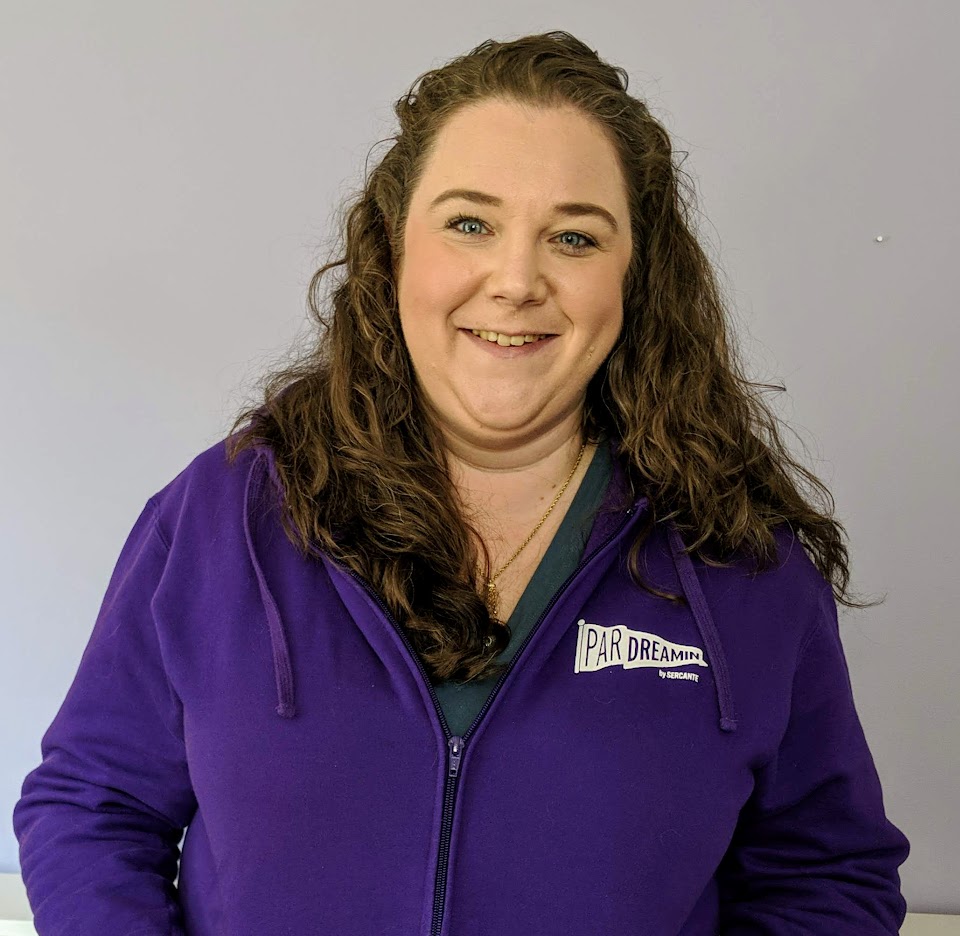
Speaker 1: Hey, everyone. Uh, thank you so much for joining today. Um, this session is going to be on from accidental Salesforce admin to accidental Pardot admin, what now? Uh, I am accidentally matching my my headshot image there. That was unintentional. But, you know, when you have a great hoodie, you gotta wear it. Um, before we get started, I do wanna say thanks to all of our sponsors. Uh, we would not be able to be here at Margarina without them, so please, if you get a chance, stop by their booths, uh, in the Goldcast website. So I wanna really quickly go over our agenda today. The first thing we’re gonna start talking about is how I got here. Uh, so why should you listen to me in your journey from Salesforce admin to Pardot admin. Then we’ll review some of the five technical skills that translate from Salesforce to Pardot, and, finally, we’ll wrap it up with some soft skills that you should brush up on for success, not only in your career as a Salesforce and or Pardot administrator, but just as for your career in general. So I wanna start by talking about my journey to success. I graduated from college in 2010 with a BS in psychology which, uh, you know, wasn’t the greatest time to graduate from college, and I had no idea what I wanted to be doing with my life. I was miserable working for an email department in a call center when that company decided to implement Salesforce. And because I was the person on my team who knew the most about how tasks were assigned in our day to day jobs, I clocked in one day and got pulled into an eight hour long meeting with a Salesforce architect and quickly became enamored with everything Salesforce could do. Very shortly after that meeting, the call center decided to put me back on the phones, and I had no interest in that. So I left that company and took a job as an inside salesperson at a small software, uh, company. I really did not want to go into inside sales, but I knew that company worked in the Salesforce ecosystem and was really interested in learning more about Salesforce, so I made that leap. Once I started there, I thought that this would be what my career path would look like. I’d learn about Salesforce, become a Salesforce admin, learn more about Pardot, become a Pardot admin, eventually become a sales operations manager and a sales operations director after that. So my first day at that company, I went to the director of marketing who was operating as the Salesforce and Pardot admin there, and I let her know that I wanted to learn everything I possibly could about Salesforce and to please give me all of the boring work she didn’t want to do. Um, thankfully, she was really great at training me on all things Salesforce and some Pardot stuff, but not a whole lot, uh, there because she knew my interest was primarily with Salesforce. About ten months after I started at that company, she left the company, and I very quickly found myself the accidental Salesforce and Pardot admin. So I started brushing up on all things Salesforce trying to study up and learn, uh, to get my certification as well as learn how to be an administrator for Pardot all at the same time. About two months into that learning path, the CEO decided they were going to switch to Microsoft Dynamics and I found myself having to learn a third platform in as many months. Uh, from there, I kind of created a position for myself at the company as the sales operations manager, leading up a team of SDRs, making sure that the lead process worked well from marketing through to those SDRs and finally into our actual account executives. I switched companies, continued to work as a sales operations manager, and after a couple years in that role, I started to think about my original career trajectory, and it occurred to me that I really didn’t wanna be that far removed from the actual building of and, uh, playing with these really awesome tools. So I decided to switch career paths again, and that first marketing director who taught me all the things that I knew about Salesforce and Pardot when I was just getting started happened to work at Sercante. So, uh, that just goes to show you never know who you’re gonna meet that is going to be beneficial in your future career. Once I got a position here at Sercante, it very quickly became clear that I was very passionate about a jump start program that’s a lightweight implementation program that, uh, Salesforce offer offers and Circante delivers, and I became the jump start program manager. So now I am helping, uh, small businesses implement Salesforce and Pardot and learn how to use these tools on a day to day basis. So now that we’ve talked a little bit about that, let’s talk about five things that will improve your proficiency in using both Salesforce and in Pardot. The first thing that I wanna talk through with is syncing fields. This is a really important thing between Pardot and Salesforce. It is how you are able to get information from Salesforce into Pardot and vice versa. When you go into Pardot, you’ll see the, uh, Pardot settings with object and field configuration and you can see on the right hand side this is where you’re going to be able to actually set up any custom fields that are going to link into Pardot. With these fields, you can choose what sync behavior you want each field to have. There are three options there: use Pardot’s value, use Salesforce’s value, or use the most recently updated record, and with that, I want to call out a gotcha here. Use most recently updated record may not mean what you think it means. For a long time, I thought that meant that it was going to be taking the field that was most recently updated and making that the the field that you sync on, but it’s actually not. It’s looking specifically at the record as a whole, what has the most recently last updated date, and that is the record that it is going to use as its source of truth. So keep that in mind when you’re building out your field mappings there. And one thing to note is that you should really check your default field mappings here. There are around 20 or so prospect fields that automatically link over to Salesforce when you spin up Pardot, and some of those may not map to the fields you need them to. So if you have a custom industry field, for example, you may want to go in and and change that field mapping. One thing to note here is that Pardot cannot change record ownership once it’s been assigned. So you can assign a prospect to a person in Pardot and that is going to push them over into a lead in Salesforce. That will make whoever it has been assigned to the record owner in Salesforce, but once that initial record ownership has been set Pardot cannot change it. So if you have something in a marketing process that would change ownership, you may need to look into building a Salesforce flow to actually make that ownership change happen. Another thing to call out here is that Pardot checkboxes and Salesforce checkboxes operate differently. So if you are building a Salesforce, uh, or if you are mapping a Salesforce checkbox, you want to map that to a Pardot radio button. If you have a Pardot checkbox, that can be mapped to a Salesforce multi select picklist, so keep that in mind when you’re going to build out those fields. And then finally, the last thing I want to mention as a gotcha here is that changes to formula fields inside of Salesforce will not trigger a sync with Pardot, so this is another one of those situations where if you have a formula field in Salesforce and you have that update and you need that update pushed to to Pardot, you’re probably gonna wanna build a flow to make that happen. Then the last bonus on this one is that experience with Salesforce means it is going to be way easier for you to determine what your sync errors are and how to resolve those. So as you’re using Pardot, you may run into problems where prospects do not sync over to Salesforce appropriately. If you know Salesforce well, you’ll be able to understand what those sync errors are and pretty quickly get them resolved and adjust what you need to in Pardot or Salesforce to prevent them from happening in the future. The next thing that I want to talk about is cleaner data. So, I mentioned that I became enamored with Salesforce pretty quickly and one of the reasons I became enamored with Salesforce is because I love data. I love looking at data. I love running reports on it. I like analyzing it. It’s one of the things that I have always enjoyed even as a small child and as a Pardot and Salesforce admin, you have a unique ability to really make sure your data is clean. You can keep the junk out of Salesforce. There’s a link on this slide which is available, uh, to you that will take you to a blog article on the spot that actually sets up a lot of different, uh, dynamic lists and automation rules that will filter out any junk data, like your testy, McTestersons, or, you know, 123@mail.com. Uh, anyone who is really a junk lead that you don’t want going to Salesforce, we can make sure they stay in Pardot or even get sent to the recycle bin so that, um, they never get marketed to. I also really recommend that you establish a marketing lead process in addition to your sales lead process. This way, you are able to do things like take and use Pardot scoring and grading to go through a marketing lead process that will help you determine when a prospect in Pardot has reached the perfect threshold to be passed over to sales and quickly generate an opportunity. There are links here for scoring and grading that take you to blogs really diving into how to use both of these tools effectively in your par.org. The next thing I really want to talk about is better reporting. I talked about on the last slide how I love data and I love reporting and truly Salesforce reporting is my first love of all things Salesforce and there are some really amazing things you can do with Pardot and Salesforce reporting in conjunction with each other. So, the first thing that I want to call out is that these two tools need to be used for different purposes. Your Pardot reports are going to be really great for monitoring individual asset performance, so how how many form fills are we getting, how many views on this landing page are taking place, how are these emails performing. If you’re sending a list email, Pardot reporting is really great to see an email client breakdown, so how many people are using Apple mail versus Gmail versus Outlook or an interaction analysis, that’s this image over here on the right. This is going to tell you, you know, a percentage amount of who has glanced or didn’t even read the email, who skimmed the email, and who actually read the email there. And then you can also get a click through rate report so you can see specifically what links were clicked in the email and if they were clicked, what link was clicked the most often. This can be really helpful to help you determine your, uh, click through action or your call to action, excuse me, uh, when you are developing emails. And then the next thing that we’ll talk about is Salesforce reporting. This is great for everything else you’re trying to do, so if you need to, uh, report on email metrics to your executives or to your leadership team, they don’t need those email client breakdowns so much. They really just want their click through rates, how many opened, how many actually, you know, uh, interacted with your content there. There’s a link here to create five, uh, custom reports inside of Salesforce that are all about Pardot engagement history. This is possible because of connected campaigns with Salesforce, and those reports do a really great job of providing high level metrics to leadership. Another thing you can do is, uh, use campaign influence to determine marketing ROI on your close won opportunities and there are a number of really great ways to do campaign influence reporting. There’s a link down at the bottom for Pardot and Salesforce marketing reporting one zero one. This is a fantastic blog article that breaks down all of the different types of reporting between Pardot, Salesforce, uh, b two b marketing analytics. It talks about campaign influence reporting in more details, so I highly recommend checking that out to get a better idea of where you want to run reports for different things. The next thing to talk about is going to be automation. This is going to be one of the most powerful things that you’ve got in your toolbox as a Pardot and Salesforce admin. If you’re comfortable building flows in Salesforce, building out automation rules and engagement studio programs in Pardot is going to be much easier for you. Uh, it is pretty cut and dry with exact, you know, here are your options for what you can do, uh, and if you use these two programs together, you can build some really powerful things. One thing I want to point out though is that the engagement studio program is not just for emails. Some of the coolest things I’ve seen done with ESPs don’t ever send an email to a customer at all. It they will take information from the prospect record and sort it out and maybe change details on a prospect record based on one form or one field that has been filled out. If you have a form handler connected to Pardot and it’s passing information to Pardot in a way that it cannot really map up those fields appropriately, you can build an ESP to interpret the data from the form handler and actually put it in a way that Pardot can understand. And then I talked a bit a few seconds ago about how using engagement studio programs and flows really allow you to, uh, uh, build some powerful automations, and there are some examples on this slide about what you can do. Some of the things we’ve seen in, um, our client work at Circante would be doing things like removing someone from an engagement studio program if they’ve replied to an email, targeted upsell campaigns based on purchased products and opportunities, uh, doing campaign management with campaign IDs and their statuses. So if someone attended a specific event, changing what their campaign membership is, things like that. And one of the things we’re also doing internally at Circante is tracking what asset an inactive prospect reengages on. So really determining if someone hasn’t been engaging with us in a while, what made them engage again. And then the last of these five tips are gonna be is under user management. So Salesforce user sync is something that was released within the past couple years that is really helpful to control Pardot access for everyone. With Salesforce user sync turned on, this Salesforce profile is going to determine the Pardot user role. This should be used across the board. There’s really only one gotcha that I have come up with and across all of my implementations and that is that if you have two people who have the same Salesforce profile, Mike and Sarah, and they’re both the company marketing profile, and Sarah needs to be the Pardot administrator, but Mike only needs to be the marketing user inside of Pardot. You would need to clone that company marketing profile, maybe make it company marketing administrator, and then you would, uh, assign Sarah, the company marketing administrator profile in Pardot or in Salesforce rather. Make sure that, uh, Pardot has the company marketing administrator set to be an admin role inside of Pardot, and you’re set. So that’s really the only gotcha, and it’s not even that big of a deal, but just something to be aware of. Another thing to point out here is that if you have, uh, people who only need access to Pardot and you never want them to have access into Salesforce, you can create identity users. Every Salesforce account comes with 100 identity user licenses for free. This is going to give a user an actual Salesforce login, so when they log in, they would log in through that login.salesforce.com uh, address, and then it will allow them access only to Pardot. Something that is brand new for the winter twenty three release that just came out, like, two or three weeks ago is now identity users can have access to Pardot Lightning apps, which is fantastic. They used to have to log in through pi.pardot.com, which was, uh, the same functionality, just a different interface. I think having identity users on the Lightning apps now is gonna go a long way towards cohesion when, uh, talking about training users, things like that. The next thing we’re gonna talk about are three soft skills that I have found to be incredibly useful, uh, in my career. So, the first one is how to rate marketing content, and this is the one that I have felt the most imposter syndrome about. Um, there’s a link here on how to prevent five awkward email sends that really dives into things to do when you’re personalizing email content that’s going out. I really recommend reading through that, but what I want to point out with this, uh, this soft skill is that you probably already know how to write good marketing content. There’s no way anyone with an inbox, uh, an email inbox that is, has not received thousands, if not hundreds of thousands, of marketing emails. We can spot a good one when we see it and we can spot a bad one when we see it, So just draw from your knowledge of the emails that you receive day in and day out from other marketing, uh, outreaches and base it off of that. The next thing that I want to talk about is really one of the biggest ones and that is communications or communication. One of the skills that I’ve developed is the ability to only go as technical, uh, as the person you’re speaking with is going to be able to understand. This means I use a lot of metaphors when I’m talking to leadership who are not really on a technical level, uh, and making sure they can understand in very simple terms why we can or cannot do something inside of Pardot or Salesforce. The flip side of that is if you’re talking to someone who has a lot of technical knowledge, dive in. Talk to them at the level of technical knowledge that you’re comfortable at, but use it as a way to learn more. I have learned so much by not being afraid to say, hey. I’m not sure about this, but here’s what I do know. Can you help me understand? People are willing to help you if they know you need that help and you ask for it. One of the things also as a Pardot admin and a Salesforce admin is you have the unique ability to bridge the gap between sales and marketing. You will understand the sales process very well, you will understand the marketing process very well, and you can make sure those two teams are communicating effectively and getting what they need out of each other. The last thing here is that you’re going to need to learn how to say no to leadership. Leadership is going to ask you to make something happen, to automate a process, to do something that is just not possible or is just a bad idea, and you’re gonna need to get comfortable with saying no. Part of this is going to be listening for the why of what they’re asking for instead of what they’re asking for. Maybe the thing they’re trying to get you to do isn’t possible, but if you listen for the why of what they’re asking you can come up with an alternative solution which, uh, will be really helpful when you are trying to soften that no. The final thing to bring up here is wayfinding and wayfinding is one of Circante’s core values and probably my favorite of all of our core values. At its heart, wayfinding to me is just problem solving with tenacity, Hearing there is a problem and not letting go until you have an answer and a solution for that problem or a good understanding of why you cannot solve that problem. Wayfinding is going to help you when you are planning out complex marketing campaigns, maybe daisy chaining engagement studio programs as they get to be really in-depth. It’s going to help you when you are defining your marketing and sales strategy as you try and determine when should a lead be passed over to someone, uh, in sales, When should it be, uh, kept in the marketing space? And then finally, you will really use automation or wayfinding when you are building out your automations. These, uh, tools that we have at our disposal are can be very complex, and you’ll need to figure out the best way to do something, especially if you’re dealing with something like Salesforce flow, uh, where you may have a couple different options to do the same sort of thing. So, uh, that is the end of my presentation. I do wanna thank you all for your attendance at this session. Uh, if you have any questions, we’ve got a couple minutes left, I think, to answer those. You can find me on Twitter at Kate Godley or LinkedIn at Kate Godley. Uh, and, um, yeah.
Speaker 2: Um, thank you so much, Kate, for that. That was awesome. So we do have a few questions. Um, one is around regarding the record ownership being set. What is what if, excuse me, the user is deleted?
Speaker 1: So if, uh, the Salesforce user has been deleted, you’re still gonna need to change ownership of that inside of Salesforce. Unfortunately, outside of that initial lead, uh, assignment when you pass the prospect from only being in Pardot to being inside of Salesforce, there’s just no way for Pardot to make that change. So that change is still gonna need to happen inside of Salesforce.
Speaker 2: Okay. Thank you so much. Um, and I think we have time maybe for one more question. Um, so if we have the user slash prospect in Salesforce, but we do not have this user in Pardot and we don’t want to create one in Pardot, what do you suggest is the best thing to do, um, for prospects added from Salesforce or assigned in Pardot? So maybe let’s take that first part of the question, um, around if you do not have this user in Pardot and you don’t wanna create them, what do you suggest is the best thing to get prospects added from Salesforce and assigned in Pardot?
Speaker 1: Um, so I actually would rely on identity users, um, a lot there. Like, you can you can make someone a user in Pardot either with their Salesforce add in and stuff, but actually never give them access to Pardot. You can and that’s something that we do a lot in our implementations. Uh, sorry. I had to think through that question. Make them a user in Pardot, but in the back end of Salesforce, do not give them the Pardot permission set, and then they can’t access Pardot at all. You’re still able to assign the the prospect to that user in Pardot, but they’re never logging into Pardot or seeing anything like that. They’re just listed as a user for you to assign people to.
Speaker 2: Awesome. And I think we went to time. I think it cut us out. So we can leave the stage. Thank you all so much. If you’re still there, um, and check out some more sessions.