

View the session live or catch the replay here. You’ll find the recording and all related resources on this page once available.
Our live discussions are happening over in Slack. That’s where you can connect with speakers, join session threads, and chat with other attendees in real time.
The Marketing Cloud welcome email journey is considered one of the best ways to get new people engaged with your brand through email marketing.
It’s often where the brand starts the relationship with prospects in hopes that they’ll continue to interact. When you create a great welcome journey, you put your best foot forward so prospects eventually become loyal customers.
In this session, I will provide essential tips to improve and maximize your current welcome email campaign in Journey Builder. And if you don’t have a welcome journey yet, you can start planning one.
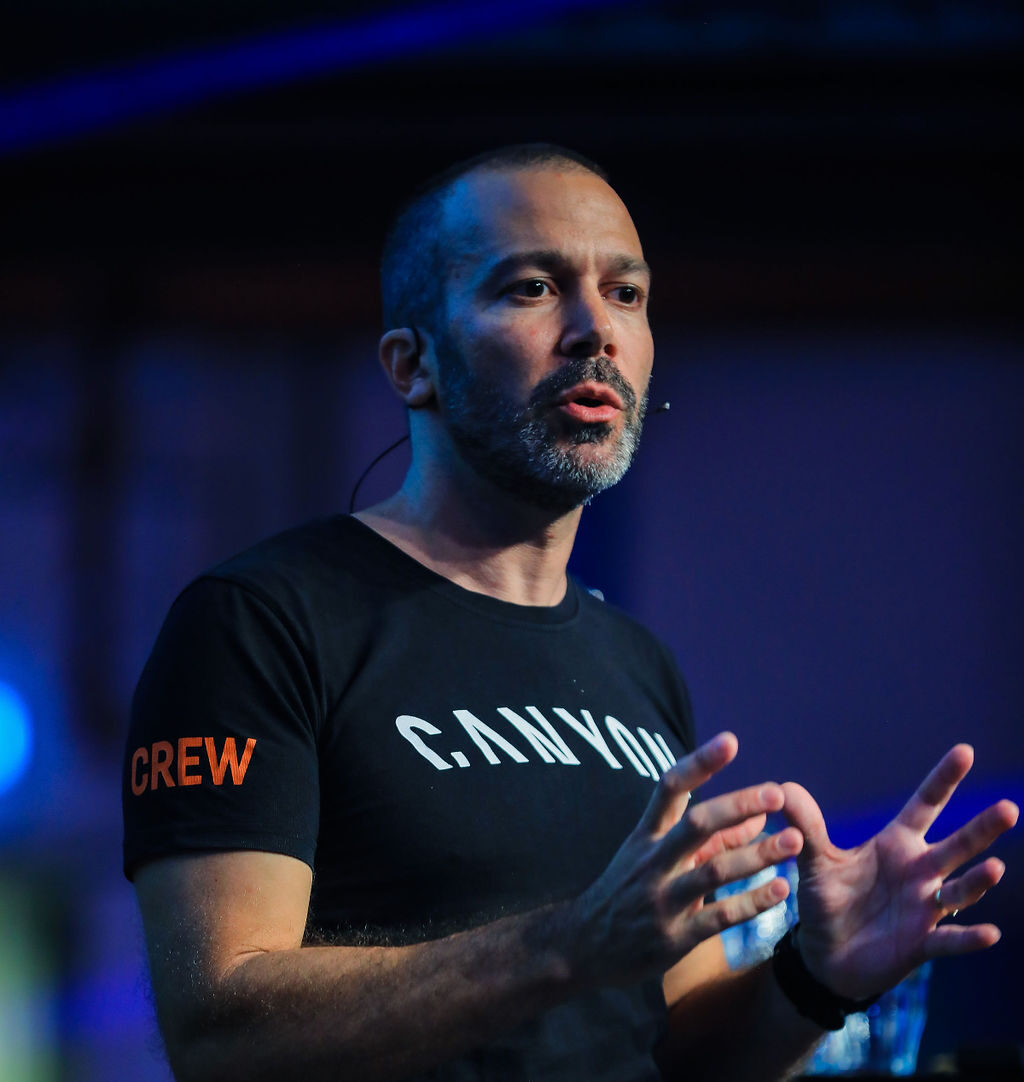
Speaker 0: A very good morning, evening, or afternoon, depending on where you are in the world, and welcome to MarDreamin. Um, for those of you that are just joining us, um, welcome. Uh, we’re excited to have you here. Um, with our welcomes being said, um, I have the pleasure of introducing our speaker for today, uh, Fernando Pereira. So, Fernando, I’ll hand over to yourself.
Speaker 1: Hello. Thanks very much. So let me start. So thanks a lot. I will talk about how create a great welcome email journey in marketing cloud. So my name is Fernando Hubino Pereira, and I will talk a little bit about my self. I’ve worked seven years as a digital design. So I’ve done a lot of web design, but also graphic design. And then I got a little bit bored, and then I jumped into the email marketing side of the things. Um, I started in 2013 to work with EMEAO for the flat French ESP called Splio. With this opportunity, I start learning the best practice and that was customer service, uh, small and medium ecommerce. Then 2015, I enjoy I joined the Validate, and I was, uh, able to learn a bit more of email deliverability. I was also customer service, uh, for median and big ecommercees in Brazil and also South America. And then 2017, I have the opportunity to move to Germany, and then I start to work in the client side for Trivago. And where was my first, uh, timing doing the welcome journey, but also learning about Salesforce Martin Cloud. And then 2018, I joined Canyon Bicycles, where I still working right now, and then I could work even more in the welcome journey in creating more interactions and more advanced stuff. We’d like to thank our sponsors for this event, um, and thank for the opportunity to be here with you today. So agenda, very quick. Um, we’ll give a little bit intro about
Speaker 0: Sorry, Fernando. Just we’re not seeing your screen.
Speaker 1: Oh, okay. Just one second. It’s showing now? Or
Speaker 0: No.
Speaker 1: Okay. Let me try to stop the presentation.
Speaker 0: And so their permission is there an option to grant permission to share screen?
Speaker 1: Yeah. Click on share screen, and then I select the screen. And we’re creating screen stream. Permission to share screen is not current. Oh, yeah. Maybe it’s blocked.
Speaker 0: So, uh, the presentation has been shared with myself. Uh, so let me share screens and apologies about this, guys. There’s always one little technical glitch.
Speaker 1: Oh, good.
Speaker 0: There
Speaker 1: we go.
Speaker 0: Okay. So let me know where to stop.
Speaker 1: Yep. Then let’s go to the agenda as where I stopped. I gave a little bit of my intro. So, yep, I will intro very quick about welcome journey, and then I will run through 10 essential tips. And then we will go finalize with the key takeaways. And if we have time, we go for the questions. Next slide, please. So, yeah, welcome journey or onboarding series. What I like to start with this message or this the saying, like, you only get one chance to make a good first impression. So what I like to to see about this is is your chance to, um, introduce your company or your service, um, within the welcome journey. So it’s just very like a a human relationship. So the first impressions is what it counts. Uh, next one, please. So, yeah, I got this, um, from a US top seller sellers. Once you, uh, do a welcome journey or onboard Syria, um, you get highly, uh, or you improve your open rate in 42% as an average according to these studies. And according to these studies, with those top 100, uh, retailers in US, 25% are are not doing the welcome journey yet. But the ones that are doing, only 4% are doing the journey. The rest are doing only one email. Um, and with those, most of or not most, 38% are offering some time some types of discounts. So you can see also this impacts in your rate afterwards. If you send, uh, more serious, more emails during your welcome journey, you get higher, um, open rate afterwards. So let’s jump to the tips, the 10 ones. Start with planning. I like this also because, um, before you start any any type of task in the welcome journey is one of them. You need to make a decision or you need to plan. And I like this because you need to plan would you like to, uh, build a long term planning with your brands, uh, with, of course, clear impact on sales, or you want just want a short term performance marketing that evaluates your brand, like giving a huge discount in the welcome journey. So before you start, plan the journey and what’s the goal for the journey. And then when you plan, try to create a timeline. Like, okay. I’ll take some time to create the content, uh, maybe the goals, and then I will have to deal with the design of the emails or getting the image from the designers, if you need some budget approval for discounts. So put it as in a plan because the welcome journey can be a massive project. And below, I put some examples just to illustrate how we plan the welcome journey, and then I will share later on with more details. But we create this organogram to see how can we map all the emails that we created and then to prepare the content, uh, for for us to implement later on. Then second, uh, one slide before. Yep. The intro. So everything that you need to introduce, uh, yourself, to to introduce your company is about the tone of voice, thinking about the tone of voice, and also make make sure this is, um, appearing in your welcome journey. If you are a fun company, just keep using if you’re formal or informal, and then I’ll share the example later on. Try to personalize by using the data that you collect when the user subscribe also. If you ask for the first name, for example, just use right away in the welcome journey. And try to create also some human touch. We know email is all robots, but if you can, we I can give you some tips about human touch. And then the next slide, I’ll show some examples we have done. So as Kenyan has a little bit of, um, oops. Yeah. Kind of, like, informal, uh, tone of voice, we try to use this in our emails. For example, welcome to the Kenyan family, and the CTA was, yes. Send me the good stuff or send me the good newsletter. Um, the human touch I mentioned, we use in the footer, um, like a image from Warner for our colleagues and then, like, you know, his name and, um, yeah, his his customer service. You can stay in touch with us. And then the personalization, we use the first name in one of the image from our welcome journey. It’s kind of like merging with the the image, and, uh, we use the data that we collect when sign up to use as, um, personalization also. Then action. So what I like to talk about the action, you need to think about the actions also. Um, and Johnny Builder, uh, um, let you do it by, for example, the engagement split by clicking the frequency that you send the email. For example, you can do the waiting period for one or two days, and then also the decision path you can use for open or not open the email. And then you can make also some testings around where I’ll show you later on if you can give discounts or not, um, as an introduction for it. I’ll show you in the next slide. For example, the first step, you need to think about the frequency, how long will, uh, be the period time in between the actions or either the email sent. So, normally, I would recommend one to two days so you wait a period for the users can interact with your email by open or clicking. And then the second one, the, um, the oh, sorry. The decision path, if they open or not or if they click or not and then goes to another path. You can see here my example I brought to you. We have a link name where the email show or where the user clicked in the email, and then he goes, um, to the path, uh, according to their click. Then number four is about content. And here, I I brought one example, and we also gave a little bit of testing. When you personalize your email or at least at Canyon, we have a 25% increase of our open rate, and then we test a lot. At the beginning, we were having some troubles. In the first example, as you can see, uh, we were using welcome to Canyon, biking is the future, but we were having problems with the preheader, which was showing view online. The second example, we could fix that, but still not very satisfying with our subject line. And then later on, okay, we are asking for the first name. Let’s using and just say, you know, human touch a little bit. Hi, Fernando. Welcome to Kenya. Thanks for joining us. It’s very important also to show your brand when you plan the content. Um, and then here, we also explain a little bit of your for benefits. Like, what are your benefits for your brands? Like, uh, you know, the difference, um, and then the benefits that users can have as a good intro to your brand also. After the content, what you need to think is about the email design also to yourself. And here, we do a lot of testing. We do a lot of, uh, sketching before goes live. We plan out the content, but we also analyze what type of users we are we are having most. For example, we know that iOS, dark mode, Gmail are most of your users, so that’s why we always create the email design, uh, focusing in those, um, users. So we always develop the design for mobile first, but also we check on dark mode and also the Gmail, um, has is most of our users using Gmail. Then what I would recommend you also not only stick to omnichannel or sorry. Not only stick to email, but also think broad with omnichannel. In our welcome journey, what we do, we also collect the audience by using during the the journey builder, the audience option. So we collected the audience, not only to Facebook, but also to Google Ads, and then we have one one of the actions. If the user does not open the email, it will show this ad, for example, I brought on Facebook. So if they don’t open, we send an ad on Facebook. So we we create the welcome journey, but also part of the other social medias that is possible to do in Journey Builder. Then seven, which is about the preferences. Of course, you want to know more about your users. That’s why it’s crucial that you can ask then in the beginning what’s your preferences. And for us, it’s really crucial to define what’s the words of interest they they like to receive on newsletter. If it’s an MTB, if it’s a road, or if it’s a gravel or a trial loan. So we ask then in the welcome journey for them to, um, don’t forget to set up their preferences. And this you can play with a lot of possibilities. Here, we just make the exam example about words, but you can make also about frequency, about types of newsletters, if they want sales newsletter, if they want more content. Um, you can, you know, ask anything, but make sure you deliver it and don’t spam the customer. Because if you you ask for the preference, you need to use that for later on. And then the next one is about the interactions. So here, as I mentioned to you, we do use a lot of interactions open or not email, but also if they click or not email. And also if they click where exactly they they click and then goes to another path. So, basically, the goal for our welcome journey is more product discovery. So according to the each stage of the journey where they are clicking, they’re interacting, they are receiving more informations about their interest. So it’s very interesting to build the welcome journey in the journey builder because they show you or they give you a lot of opportunities for the interactions. Um, yes. And then number nine, AB testing. This is a super cool feature. It’s it’s kind of like new feature, which is the path optimizer. Before the path optimizer, I was always using the random split manual. So I was doing 1550%. And then later on, I would check the results manually and see, okay. Yeah. Maybe the b got better, I don’t know, click rate, and then I’ll change the journey and then refresh again and play again. But now with this path, uh, optimizer, you basically you set up the AB test. You put the time frame you want to run the AB test, and later on, you just let it go or maybe you just check the data. Here, I brought one of our examples. We also like to test a lot subject lines. And then this was very nice because we had these assumptions, uh, this assumption that subject line with emojis would have a better open rate. But this was a very false assumption after our AB test. We have minus 1.5% open rate against the normal, um, subject line without emojis. So at the end, we decide, okay. We won’t do anymore with, uh, emojis because for our audience, this does not really work anymore. Then the last one, and, of course, one of the most important is the data analysis. So remember in the first slide, the planning, you really need to define your goals and KPIs for the welcome journey. And, of course, according to your type of business, uh, I would like to think in KPIs, and you should keep tracking the KPIs. If it’s monthly, if it’s weekly, or if it’s per quarter, but thinking about positives and negatives KPIs. So at Canyon, we do a lot about revenue. And the percentage of difference in between we we follow per month. So if we are increasing the month or if we are decreasing the revenue, and then the entry users to keep following if we are getting the same amount of users or if we are increasing in the welcome journey. Depends of the promos that we make, open and click rates, of course. But we also check the negatives KPIs If their subscription rate is, um, is growing, there is a sign that something is not going going correct. So, also, the complaints, we also analyze. So check the data analysis, make this as a monthly report or weekly, depends, but don’t just make the welcome journey and let them go for a while because I know a lot of, uh, company does it and does not follow, but it’s very important to do data analysis, um, for it and keep tracking on it. Cool. Those are the 10 tips. And then there’s this bonus pro tip that I found out within, um, Journey Builder. If you go next slide, they have two types of email templates or welcome journey templates. One more basic, more simple, that you just click and they show you around how to build yourself. And the other one more advanced, the welcome journey with engagement that I talk a lot about it with the engagement split, decision split, and they show you and they give you a lot of tips how to do step by step. It’s a very nice thing. If you don’t have much knowledge in marketing cloud and journey builder, just go for one of those templates, and then they will show you around. So, yes, let’s jump to the takeaways. So as I mentioned, define your goals, KPIs. It’s very important for your planning. Thinking about full customer experience, not only about email, but also omnichannel. Follow email best practice. Don’t forget about the unsubscription, but, um, the view online, everything needs to be perfect. Time is crucial. Send the first email as soon as you can. Um, otherwise, they might forget about yourself. Tank, welcome. Be human in your email. So give a little bit of human touch. Be transparent and deliver it. So if you mentioned that they if they subscribe, they get a free ship free shipping. Just send it. Don’t hide anything. If it’s a discount or or not, just thinking a long and short terms about it. Thinking about the CTAs, they are the actions that you want for your welcome journey. If it’s a shop, if it’s a read, if it’s a download, just think also about the CTAs, the ton of walls. As the preferences, or you can also increase some interactions, depends of where they click on your email. Thinking about the frequency if you’re sending the journey, how long does it takes for one step to the second step, one day, two days, three days. Of course, always test, test, test, and AB test. Everything that you can do, test your subject line, and then make sure you have the correct or false assumption with data. And as I mentioned, data is king and queen. Define the KPIs and just do it. Yeah. It might sounds a bit too much, but start small. Also start smart. Maybe just one email to start, and then in the next month, you add a second email. If you’re already sending, when was the last time you had a look on it? Are you following the KPIs, or are you, uh, constantly updating the content? Have you checked the data and the performance? Is your journey, like, really improving monthly? Or are you taking actions based on data or based on your assumptions? So my tip my final tip to you is plan, execute, test, fail, repeat, but always keep improving your welcome journey.
Speaker 0: Perfect. Fernando, thank you so much. So we’re about two minutes out. Let me see if any kind of questions came through. Um, so we might have time for one question. Uh, Uh, do you typically figure out data pieces entry audience before creating content, or do you usually create content first?
Speaker 1: Yeah. So, um, to be honest, one of the first, uh, welcome journeys at Kenya, we were only about doing everything that we were thinking was correct. But then later on, after six months, we stop it, and then we try to analyze every data that we could, like the entrance seat, the audience, the exit, how long in average people would stay in the welcome journey and even in the revenue. And then based on this data, we were building the, um, the updates, our second version or third version. So what we do, we always check the data and then make plans for, you know, updating and always try to AB test whatever we change. But, basically, what we do once a year, we do, like, a fully update or refresh in some content, some images, if makes sense for us. But good question.
Speaker 0: Perfect. Um, one quick one. Thirty seconds. And so so can a path optimizer be set to continue to run forever, or do we have to decide how long it is going to run and when it starts and ends?
Speaker 1: Yep. You can the path optimizer, you define how long the AB test will run, and then you define, okay, whoever is going to be the winner. For example, five days to check the results. If the winner will be a click rate, then it will run until you stop the journey or until you pause and make a next, uh, version of the journey. So what you just define the periods of your, let’s say, path optimizer or your your AB test and where your random split, um, whatever you the other option, it’s also all manual. So you need to collect the data and make the decision later on.
Speaker 0: Okay. Perfect. So, um, we are just at time there. Uh, Fernando, that was an amazing session, and apologies for our technical issues at
Speaker 1: the beginning.
Speaker 0: Um, if anyone does have questions for Fernando, you can reach out to him, uh, directly via the platform chat. Um, thank you all for joining us. Thank you to our, um, sponsors, and we hope to see, uh, a lot of you here again tomorrow.
Speaker 1: Yes. Thank you very much for the opportunity, and I hope you all like it. And feel free to ask any questions.